Simplifying Clinic Finances with Visual Dashboards
Introduction
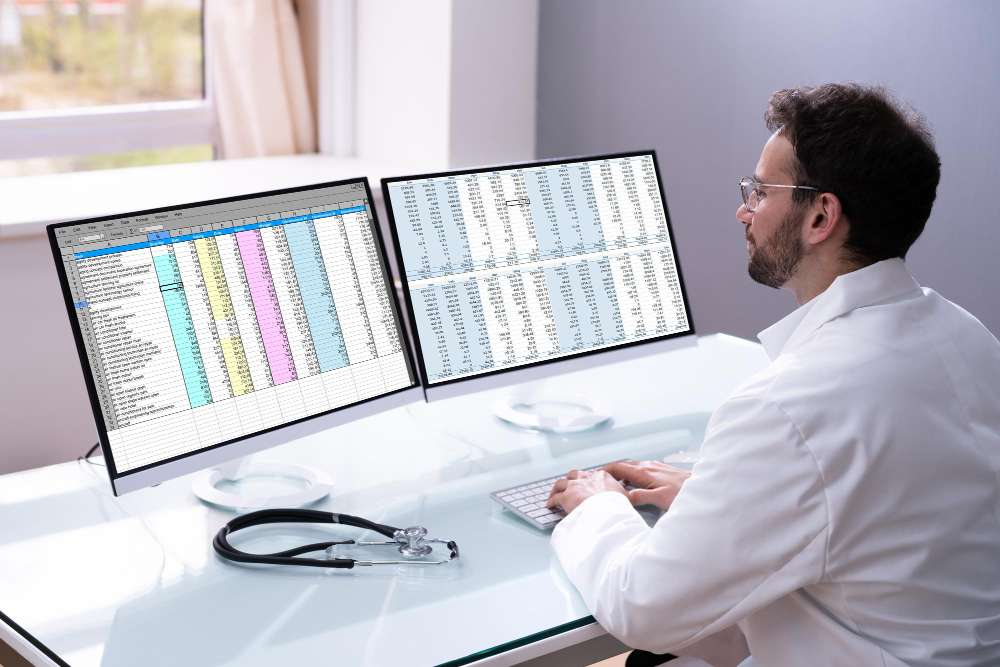
clinic financial dashboard is an essential tool, yet often overlooked by busy healthcare practitioners. For many doctors and clinic managers, diving into spreadsheets and complex financial reports feels daunting, taking precious time away from patient care. We understand this challenge. However, understanding your clinic’s financial health isn’t just about compliance; it’s crucial for sustainable growth and informed decision-making. A well-designed financial dashboard simplifies complex data, presenting it in a clear, visual format that even those without a finance background can easily grasp. This allows you to quickly identify trends, spot potential issues, and make strategic choices that benefit your practice.
What is a Clinic Financial Dashboard?
Beyond Spreadsheets: A Visual Approach
A clinic financial dashboard is a visual representation of key financial metrics and performance indicators. Unlike static reports or lengthy spreadsheets, a dashboard pulls data from various sources – including your Electronic Medical Records (EMR) and clinic management software – and displays it in real-time or near real-time using charts, graphs, and other visual tools for doctors. Our goal at EasyClinic is to make this process seamless.
Think of it as your clinic’s financial command center. It provides a high-level overview, allowing you to see how your clinic is performing financially at a glance. This is particularly valuable for busy practitioners who need to quickly assess the situation without getting bogged down in details. We believe that simplified reports lead to better decision-making.
Key Components of an Effective Dashboard
An effective clinic financial dashboard typically includes:
- Revenue tracking (by service, payer, provider)
- Expense monitoring (overhead, payroll, supplies)
- Accounts Receivable (AR) aging
- Patient visit volume and trends
- Payer mix analysis
- Profitability analysis
- Key performance indicators (KPIs) specific to healthcare finances
The beauty of a dashboard is its customizability. You can tailor it to display the metrics that are most important for your clinic’s specific goals and challenges.
Why Non-Finance Doctors Need a Clinic Financial Dashboard
Focus on Care, Understand the Business
You became a doctor to provide care, not to become a finance guru. We get it. However, running a successful clinic requires a solid understanding of the business side. Ignoring financial health can lead to unforeseen problems, impacting your ability to provide quality care in the long run. A clinic financial dashboard bridges this gap.
It translates complex financial data into actionable insights. Instead of spending hours deciphering reports, you can look at a dashboard and immediately understand where your money is coming from, where it’s going, and areas for improvement. This empowers you to make informed decisions about staffing, investments, service pricing, and operational efficiency without needing a finance degree.
Early Warning System
A good clinic financial dashboard acts as an early warning system. Declining revenue trends, increasing overhead costs, or ballooning accounts receivable can be spotted quickly. Identifying these issues early allows you to take corrective action before they become major problems. This proactive approach is essential for maintaining the financial stability and sustainability of your practice. Easy finance tracking is vital for long-term success.
Improved Communication and Accountability
Sharing a visual dashboard with your team can also improve transparency and accountability. When everyone can see the financial picture, they better understand how their work impacts the clinic’s bottom line. This can foster a sense of shared responsibility and motivate the team to contribute to financial goals.
Building Your Clinic Financial Dashboard: Practical Steps
Step 1: Define Your Objectives and Key Metrics
Before you start building, determine what you want your dashboard to achieve. Are you focused on increasing revenue? Reducing costs? Improving AR collections? Your objectives will dictate which metrics are most important to track.
Identifying Must-Track Metrics
- Gross Collections: Total payments received.
- Net Collections: Payments after adjustments.
- Patient Visit Volume: How many patients are you seeing?
- Average Revenue Per Visit: Understanding the value of each patient encounter.
- Operating Expenses: Tracking overheads like rent, utilities, insurance.
- Staffing Costs: Often the largest expense.
- AR Aging Buckets: How old are your outstanding claims?
- Denial Rate: Percentage of claims denied by payers.
- Patient Balances: Outstanding amounts owed by patients.
These are foundational, but you may need more specific metrics based on your specialty or business model.
Step 2: Identify Your Data Sources
Your financial data lives in various places. The primary source for clinical and billing data is typically your EMR and clinic management software. Other sources might include accounting software, bank statements, and payroll systems.
Leveraging Your EMR/Clinic Software
Modern EMR software like EasyClinic is designed to capture vast amounts of data, not just clinical notes. This data includes appointment scheduling, billing, coding, patient demographics, and payment information. Our platform makes it easy, fast, and flexible to record the information needed for comprehensive reporting.
The richer the data in your EMR, the more insightful your clinic financial dashboard can be. Ensuring accurate and complete data entry is crucial. Features like AI-Powered Assistance for 3-click prescription completion and Point and Click Input for customized forms and notes can significantly improve data quality, feeding accurate information into your analytical tools.
Step 3: Choose the Right Tools
You don’t need complex, expensive software to start. For simple dashboards, spreadsheet software like Excel or Google Sheets can work, especially if you manually input or import data. However, for automated, real-time dashboards that pull directly from your EMR and other systems, you’ll likely need dedicated reporting or business intelligence tools. Many modern clinic management software platforms, including EasyClinic, offer integrated analytics and reporting features designed to help you create your clinic financial dashboard with minimal hassle.
Integrated vs. Standalone Solutions
- Integrated: Part of your existing EMR or clinic management software. Pros: Data is readily available, often designed specifically for healthcare. Cons: May have fewer customization options than standalone tools.
- Standalone: Dedicated business intelligence software. Pros: High customization, can connect to multiple data sources. Cons: Can be more complex and require technical expertise to set up.
Tools that offer integrated EMR analytics care streamline the process significantly, allowing you to leverage your clinical and financial data together.
Step 4: Design Your Dashboard for Clarity
This is where the “non-finance doctor” aspect is key. The dashboard must be visually intuitive. Avoid jargon, use clear labels, and employ charts and graphs effectively.
Design Principles:
- Simplicity: Don’t overcrowd the dashboard. Focus on the most important metrics first.
- Visual Hierarchy: Place the most critical information prominently.
- Consistent Formatting: Use consistent colors, fonts, and chart types.
- Actionable Insights: Design it so that you can quickly understand what action, if any, is needed based on the data.
- Use Appropriate Visuals:
- Line charts for trends over time (revenue, patient volume).
- Bar charts for comparisons (revenue by service type, expenses by category).
- Pie charts or donuts for proportions (payer mix).
- Tables for detailed numbers (AR aging).
- Gauges or single numbers for key metrics (daily collections goal).
Think about the story the data is telling. Visual Health Trend Analysis, a feature in EasyClinic, provides graphical representations of patient vitals and reports, demonstrating the power of visualizing data for understanding patterns – the same principle applies to financial data.
Step 5: Build and Connect Your Data
This involves setting up your chosen tool to pull data from your sources. If using integrated EMR tools, this might be straightforward. For standalone tools, it could involve setting up data connectors or importing data feeds.
Ensuring Data Accuracy and Integrity
Garbage in, garbage out. The accuracy of your dashboard depends entirely on the quality of the underlying data. Implement processes for accurate billing, coding, and payment posting. Comprehensive Medical History Record keeping and Efficient Patient Summaries generated by your EMR contribute to a complete dataset that supports accurate financial analysis.
Regular data audits are essential to catch errors early. Clinic data insights derived from clean data are reliable for decision-making.
Step 6: Implement and Refine
Once the dashboard is built, start using it! Share it with relevant staff. Gather feedback on usability and clarity. It’s unlikely your first version will be perfect.
Regular Review and Iteration
Schedule regular times to review your dashboard – daily, weekly, or monthly, depending on the metrics. This consistent review helps you stay on top of your finances and identify trends as they emerge. Based on your experience, refine the dashboard over time. Add new metrics, remove less useful ones, and adjust the layout for better usability. We are committed to providing healthcare analytics tools that evolve with your needs.
Leveraging AI and Advanced Analytics
Going Beyond Basic Metrics
As your comfort with the clinic financial dashboard grows, you can explore more advanced analytics. This is where AI and machine learning can play a significant role. Tools equipped with AI-Powered Assistance can help identify complex patterns, predict future trends, or even automate certain financial processes.
For instance, AI can help predict potential claim denials based on historical data, allowing your billing staff to address issues proactively. It can also assist in optimizing scheduling based on predicted patient flow, impacting revenue.
Predictive Analytics and Automation
Areas where advanced analytics can help:
- Revenue Forecasting: More accurate predictions based on historical data and external factors.
- Denial Prediction: Identifying claims likely to be denied before submission.
- Patient Flow Optimization: Using data to improve scheduling efficiency.
- Health Plan Automation: Simplifying verification and eligibility checks.
Incorporating personalized medicine AI, while primarily clinical, generates data that, when combined with financial data, can offer unique insights into the cost-effectiveness of different treatment pathways or patient populations.
Actionable Tips for Quick Wins
Here are 5 actionable tips to get started with your clinic financial dashboard:
- Start Small: Don’t try to track everything at once. Begin with 3-5 essential metrics (e.g., Gross Collections, Total Expenses, Patient Volume) and expand as you get comfortable.
- Automate Data Collection: Wherever possible, use tools that integrate directly with your EMR and accounting software to minimize manual data entry and potential errors. EasyClinic is designed for this integration.
- Use Color-Coding and Visual Cues: Highlight positive trends in green and negative trends or areas needing attention in red or yellow. This makes it easy to spot outliers quickly.
- Schedule Regular Reviews: Block out time in your calendar specifically for reviewing the dashboard, just like you would for patient appointments. Consistency is key.
- Get Team Buy-In: Educate your staff on the importance of the dashboard and how their work contributes to the numbers. Encourage them to use it if appropriate for their roles.
Why It Matters for Providers
For healthcare providers, understanding the financial health of their practice is paramount. It’s not just about making money; it’s about having the resources to invest in better equipment, attract and retain talented staff, expand services, and ultimately, provide the best possible patient care. A clinic financial dashboard provides the transparency needed to make these critical decisions.
It empowers you to see the direct impact of clinical operations on financial outcomes. For example, optimizing patient flow through better scheduling facilitated by features in your clinic EMR directly impacts patient volume and revenue. Understanding these connections helps you manage your practice more effectively and strategically, ensuring its long-term viability and your ability to continue serving your community.
Featured Snippet Block
A clinic financial dashboard transforms complex data into visual, easy-to-understand reports. It pulls data from your EMR and accounting systems to show key metrics like revenue, expenses, and AR. This helps non-finance doctors quickly grasp financial health, spot trends, and make informed decisions for better clinic management.
FAQs
Q: What are the most essential metrics for a new clinic’s dashboard?
A: Focus on gross and net collections, total operating expenses, and patient visit volume to get a basic understanding of revenue and costs.
Q: How often should I review my clinic financial dashboard?
A: We recommend a quick check daily or weekly for key metrics, with a more detailed review monthly to analyze trends and performance.
Q: Can my existing EMR software provide the data needed for a dashboard?
A: Most modern EMR and clinic software platforms offer robust reporting features that can serve as the data source for your dashboard.
Q: Is building a financial dashboard complicated?
A: Starting simple with key metrics and using integrated tools can make it manageable. Tools like EasyClinic simplify the process of accessing and visualizing data.
Q: How can a dashboard help improve our clinic’s profitability?
A: By highlighting areas of high cost, low revenue, or inefficient processes, a dashboard guides your efforts to improve operational efficiency and financial performance.
Resources
- How AI-Powered EMR Software is Transforming Clinic Management
- FAQs on EMR Medical Software
- EasyClinic Doctor & Clinic Software
- WHO: Health financing
Conclusion
Creating a clinic financial dashboard might seem daunting, but it’s a transformative step for any practice. By simplifying complex data into visual, actionable insights, you gain the clarity needed to make sound financial decisions without getting lost in numbers. It’s about empowering you, the healthcare provider, to focus on what you do best – caring for patients – while ensuring the business side of your practice is healthy and sustainable. With the right approach and tools that integrate seamlessly with your workflow, like EasyClinic, building an effective clinic financial dashboard is well within reach. We are here to support you in leveraging clinic data insights to thrive.
Easy Clinic is a powerful clinic management platform built for doctors and growing healthcare chains. From appointment scheduling and EMR to billing and analytics, Easy Clinic helps you streamline operations and focus more on patient care. Ready to transform your clinic’s workflow? Visit EasyClinic.io to learn more or book a demo.