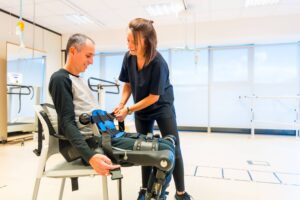
Setting up a clinic in 2025 means stepping into a dynamic, tech-driven healthcare environment where patient expectations are high and operational efficiency is crucial. Whether you’re a solo practitioner or part of a group opening multiple locations, a detailed, well-structured plan ensures a smooth and successful launch. This healthcare checklist is designed to help you navigate each stage of the new clinic setup process—from planning and licensing to technology integration and patient engagement.
Let’s break down everything you need to build a thriving, future-ready clinic.
Step 1: Business Planning and Financial Preparation
Crafting a Strong Business Plan
Before you purchase equipment or lease a space, develop a clear business plan that includes:
- Services offered (e.g., general practice, dermatology, pediatrics)
- Target patient demographic
- Market analysis and competition
- Pricing structure and revenue model
- Marketing strategy
A solid plan not only guides your setup but is also crucial when seeking funding.
Budgeting and Funding
List all initial and ongoing expenses such as:
- Property rental or purchase
- Renovations and interiors
- Medical equipment and IT systems
- Salaries and insurance
Explore funding sources including personal capital, business loans, or private investors. Forecast revenue and break-even timelines conservatively.
Legal, Regulatory, and Compliance Requirements
Ensure your clinic is compliant with:
- Local health authority registration (e.g., Clinical Establishment Act in India)
- State Medical Council licensing
- Fire, sanitation, and safety certifications
- GST registration and tax ID setup
EasyClinic supports compliant software for your clinic’s medical recordkeeping and operations
Step 2: Finding the Right Location
Choose a site based on:
- Accessibility (near public transport or residential areas)
- Parking availability
- Visibility and signage options
- Proximity to pharmacies or diagnostic centers
Negotiate lease terms carefully and check for zoning permissions specific to medical use.
Step 3: Clinic Infrastructure and Design
Interior Layout and Workflow
Design your space for:
- Smooth patient flow (from reception to consultation to billing)
- Privacy in exam and counseling rooms
- Comfort in waiting areas
- Accessibility for differently-abled patients
Use signage and digital check-ins to reduce crowding.
Equipment Procurement
Make a comprehensive list of what your clinic needs based on specialization:
- Diagnostic devices (BP monitors, ECG, imaging, etc.)
- Sterilization tools and examination tables
- IT hardware: desktops, barcode printers, card swipers
- Furniture, lighting, and air-conditioning
Technology and Software Integration
Invest in robust digital infrastructure:
- EMR software to manage patient records
- Clinic management software for appointments, billing, and inventory
- Cloud-based backups for data security
- Integrated billing with online payment gateways
Explore EasyClinic’s all-in-one EMR and clinic software system
Step 4: Building the Right Team
Hiring Key Staff
Build a qualified, courteous team with roles such as:
- Doctors and medical specialists
- Nurses and assistants
- Receptionists and billing executives
- Lab technicians (if diagnostics are in-house)
- Cleaning and security personnel
Training and Onboarding
Standardize onboarding with SOPs and checklists. Train your team on:
- EMR system usage
- Appointment protocols
- Hygiene and safety practices
- Emergency response workflows
Step 5: Marketing and Branding Your Clinic
Establish Your Brand Identity
Create a visual identity and messaging strategy:
- Clinic name and logo
- Tagline reflecting your services and values
- Uniforms and in-clinic materials (prescription pads, receipts, ID badges)
Online Presence and Advertising
- Build a mobile-friendly clinic website
- Register on platforms like Google Business, Practo, and Justdial
- Use Facebook, Instagram, and WhatsApp for patient updates
- Invest in local SEO to attract nearby patients
EasyClinic integrates with engagement tools for appointment reminders and feedback collection
Launch Campaign
Consider soft opening events, discounts for first visits, or free check-up camps to generate word-of-mouth and initial footfall.
Step 6: Operational Readiness
Implement Efficient Scheduling
Use an online appointment system that supports:
- Time-slot customization
- Doctor-specific schedules
- SMS/email reminders
- Queue management
EasyClinic offers smart appointment scheduling built into its platform
Setup Digital Billing and Insurance Integration
Prepare for:
- Printed and digital invoicing
- Cashless and insurance-based payments
- Integration with TPA networks
- Online payment links for convenience
EasyClinic streamlines billing and reduces errors through automation
Manage Inventory and Supplies
Use digital inventory tracking for:
- Medicines
- Disposables (gloves, syringes)
- Office supplies
- Lab materials
Set up alerts for reordering and track expiry dates.
Learn how EasyClinic helps clinics prevent shortages and overstock
Step 7: Patient-Centered Care and Engagement
Build a Communication System
Maintain strong connections with your patients through:
- Automated follow-up messages
- Digital prescription delivery
- Feedback forms and surveys
- Health tips via email or WhatsApp
Offer Digital Payment and Telehealth Options
Make the clinic experience convenient by:
- Accepting UPI, credit cards, and online wallets
- Offering teleconsultation slots for returning patients
- Allowing digital form submissions for intake
Monitor Patient Satisfaction
Track metrics such as:
- Average wait times
- No-show rates
- Review scores
- Repeat visit percentages
Use data to continuously improve.
Get actionable insights with EasyClinic’s healthcare analytics features
Step 8: Compliance, Safety, and Quality Control
Infection Control and Safety Measures
Ensure protocols for:
- Sterilization and biomedical waste disposal
- COVID-19 preparedness (if required)
- PPE for staff and sanitization for surfaces
- Fire safety and emergency exits
Licensing and Audit Readiness
Keep your documents organized for easy audit:
- Medical licenses and staff registrations
- Tax and finance reports
- Equipment calibration logs
- Clinic SOPs and training records
Step 9: Performance Tracking and Growth Planning
Set KPIs
Monitor your clinic’s performance using metrics such as:
- Daily footfall
- Conversion rate (consultations vs inquiries)
- Monthly revenue
- Inventory turnover
- Staff attendance and productivity
Regular Reviews
Hold team reviews every month to:
- Address patient complaints
- Recognize high performers
- Update SOPs
- Identify opportunities to add new services
Use EasyClinic’s dashboard to track and optimize clinic operations
Plan for Expansion
Once your clinic stabilizes:
- Explore adding diagnostic services
- Launch specialty clinics (e.g., dental, ortho)
- Extend operating hours or add weekend slots
- Start a second location using centralized software
Choose Your Clinic Management Software Before You See Your First Patient
Clinic management software is the operating system of a new clinic: a single platform that handles patient records, appointments, billing, inventory, pharmacy and reporting instead of four disconnected tools. Selecting it during fit-out is materially cheaper than migrating later, because every paper file created in month one becomes a data-entry cost in month six.
Most new clinic owners treat software as a month-three decision. It is a month-zero decision, for the same reason you do not wire a building after the walls go up.
What a new clinic genuinely needs from clinic management software on day one
- Prescribing that does not slow the doctor down. Easy Clinic generates a detailed prescription in about 30 seconds, and its AI assistant completes a prescription in three clicks — issued in any language via print, WhatsApp, SMS or email.
- Billing a receptionist can run unsupervised. One-click billing produces a ready invoice in under 10 seconds, with part payments, advance payments, refunds and discount authorisation built in.
- Appointments that protect your opening-month revenue. Automated reminders reduce no-shows, while patients self-book, self-onboard, check in and complete custom intake forms from their own phone.
- Stock control from the very first purchase order. Doctors see real-time stock availability at the moment of prescribing, and an AI assistant sets reorder levels and quantities from past trends and lead times.
- Numbers you can actually act on. Over 100 graphical dashboards and reports span clinical, administrative, inventory and financial data — so month one has a baseline instead of a guess.
Paper, patchwork or platform: the three routes a new clinic can take
| Approach | Year-one cost profile | Where it breaks |
| Paper files and spreadsheets | Lowest upfront outlay | No audit trail, no recall lists, no reporting; the full cost arrives as a migration bill later |
| Separate booking, billing and accounting tools | Multiple subscriptions, medium total | Staff re-key the same data three times; no single patient record; reconciliation is manual |
| All-in-one clinic management software | One subscription, configured once | Requires upfront configuration — but only once, and before patient volume makes it painful |
Five questions to ask any clinic management software vendor before you sign
- Does the EMR adapt to my specialty, or do I adapt to it? Easy Clinic ships a customised EMR per specialty plus a no-code template builder that reproduces your existing paper forms.
- Can billing, pharmacy, lab and inventory run inside the same system? Prescriptions transfer automatically from doctor to pharmacy, and lab orders route straight from the EMR to the lab.
- Who owns my data if I leave? Easy Clinic states that client data — identifying and non-identifying — belongs exclusively to the client and is never shared.
- Which healthcare standards does it support? Easy Clinic is built on open API standards and supports HL7, FHIR, DICOM and ABHA, with ICD-10, SNOMED, LOINC and CPT coding.
- Can I test it on live patients before committing? Easy Clinic offers a 14-day free trial with an additional 30-day money-back guarantee.
The rule of thumb
If you expect more than roughly 15 patients a day within your first year, choose all-in-one clinic management software before opening. Below that threshold you can start lighter — but pick a platform you can grow into, because the switching cost rises with every record you create.
FAQ’s
- When should a new clinic buy clinic management software? During the fit-out phase, before the first patient is registered. Configuring services, price lists, user roles and prescription templates takes far less effort on an empty database than on a live one, and it avoids re-entering months of paper records.
- Is a booking app enough for a small new clinic? A booking app covers appointments only. It does not create a medical record, produce a compliant invoice, track pharmacy stock or generate financial reports. Clinic management software covers all of these in one system, which is why most clinics that start with a booking app replace it within the first year.
- What should clinic management software include for a brand-new clinic? At minimum: an EMR customised to your specialty, appointment scheduling with automated reminders, one-click billing with tax handling, inventory and pharmacy dispensing, patient communication over WhatsApp, SMS and email, and a reporting dashboard. Easy Clinic delivers all of these in a single platform.
Final Thoughts: Your Roadmap to Clinic Success in 2025
Launching a healthcare practice is a major achievement, and doing it well takes planning, precision, and the right tools. This comprehensive new clinic setup guide gives you a clear roadmap to follow. Whether you’re opening your first practice or expanding a specialty, using a detailed healthcare checklist ensures you cover every critical base.
With the right team, systems, and support—like those offered by EasyClinic—you can build a successful, patient-friendly clinic that thrives in 2025 and beyond.