In today’s healthcare landscape, patients expect more than quality treatment—they expect a seamless, personalized experience. For clinics looking to strengthen relationships and build patient loyalty, implementing a dedicated clinic CRM is a critical step. More than just a contact database, a CRM serves as a centralized patient management system that improves engagement, care coordination, and operational efficiency.
From appointment reminders and personalized communication to proactive follow-ups and satisfaction tracking, CRM systems are transforming how clinics operate and connect with their patients. This guide explores the benefits of clinic CRM software, implementation steps, and the role of integrated tools like EMR software, clinic management software, and healthcare software in building stronger, lasting patient relationships.
What Is a Clinic CRM and Why It Matters
Defining Clinic CRM
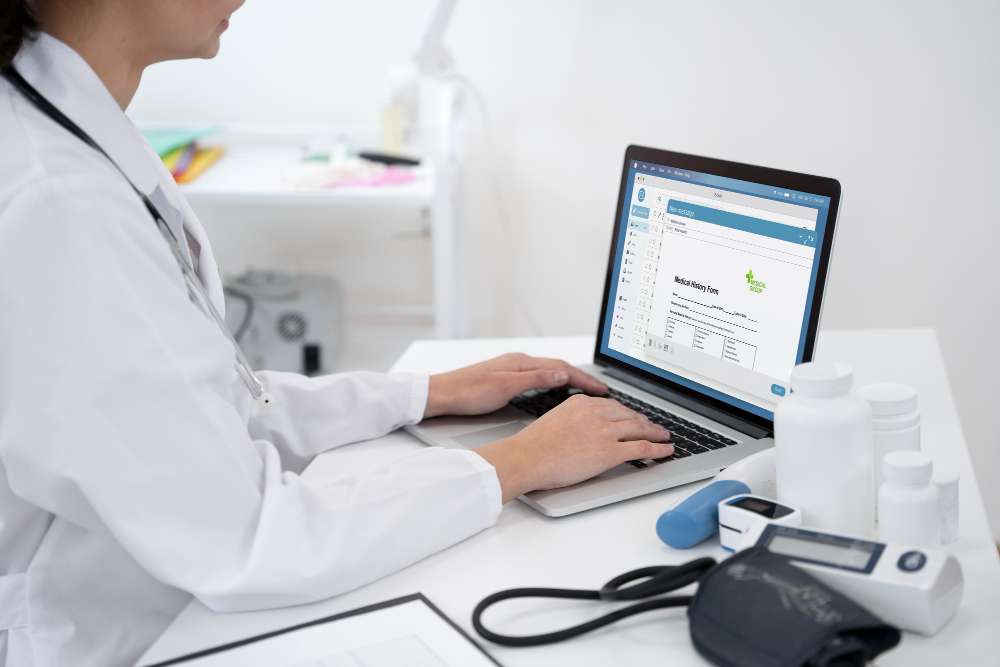
A clinic CRM (Customer Relationship Management) system is a software platform designed to manage patient relationships, communications, and workflows. It enables clinics to collect, store, and utilize patient data to enhance the patient experience while streamlining internal processes.
Unlike EMR systems—which primarily manage clinical documentation—a CRM focuses on patient engagement, appointment history, outreach, feedback, and service personalization.
Explore how EasyClinic improves patient engagement and care
Benefits of a Patient Management System for Clinics
1. Personalized Patient Communication
Patients respond better to clinics that understand their preferences. With a robust patient management system, you can deliver tailored messages that resonate and build trust.
What CRM tools enable:
- Personalized appointment reminders via SMS or email
- Birthday messages, wellness tips, or vaccination follow-ups
- Pre-visit instructions and post-visit care information
This builds engagement and shows patients that their health journey matters beyond the consultation room.
2. Centralized Patient Information Access
CRM platforms serve as a hub for patient interaction data, making it easier for staff and physicians to access communication history, preferences, and follow-up needs.
Benefits:
- Save time during patient intake or follow-ups
- Identify the best channels for outreach (SMS, call, email)
- View previous concerns or feedback at a glance
By integrating your clinic CRM with EMR software, staff can access medical and communication records simultaneously.
Discover how EMR integration improves clinic workflow
3. Proactive Patient Engagement
One of the most powerful features of a CRM is proactive care outreach. Rather than waiting for patients to return, your clinic can take the initiative.
Use cases include:
- Post-treatment check-ins
- Chronic disease management programs
- Regular newsletters or condition-specific content
Engaging with patients in this way increases return visits, strengthens loyalty, and supports preventive care.
4. Streamlined Internal Workflows
A CRM platform automates several time-consuming administrative tasks, helping reduce manual work for front desk and admin teams.
Automatable tasks:
- Follow-up scheduling
- Patient onboarding
- Internal handoffs (e.g., lab results follow-up)
When paired with clinic software and clinic management systems, your CRM can help eliminate bottlenecks and improve clinic efficiency.
Learn how EasyClinic boosts operational efficiency
5. Actionable Patient Feedback and Satisfaction Tracking
Understanding how patients feel about your services is vital. A clinic CRM can automate feedback collection and convert insights into actionable improvements.
Features include:
- After-visit surveys
- Net Promoter Score (NPS) tracking
- Sentiment analysis from written feedback
Analyzing these insights can inform your clinic’s growth strategy and improve patient retention.
Key CRM Features Clinics Should Look For
Not all CRM systems are built for healthcare. Here are critical features every patient management system should include:
- Appointment scheduling and reminders
- Two-way patient messaging
- Communication history tracking
- Integration with EMR and billing systems
- Role-based data access and HIPAA compliance
- Real-time reporting and analytics
Use EasyClinic’s secure, healthcare-focused CRM tools
How a CRM Supports Multichannel Communication
Today’s patients want communication their way—email, SMS, or even WhatsApp. CRM systems allow your clinic to reach patients using their preferred channel.
Why multichannel matters:
- Reduces missed messages
- Enhances response rates
- Personalizes patient experience
Using CRM tools, your front desk team can automate reminders and broadcast updates while still maintaining the human touch.
Discover how EasyClinic strengthens digital communication
CRM Implementation: A Step-by-Step Guide for Clinics
Step 1: Define Your Goals and Pain Points
Before choosing a system, clarify what you hope to achieve:
- Fewer no-shows?
- Better follow-up rates?
- Improved patient retention?
Outline your top priorities so that your chosen clinic CRM aligns with your clinic’s unique needs.
Step 2: Select the Right CRM Platform
Look for CRM tools built for healthcare or those that can integrate easily with your current clinic management software.
Evaluate platforms based on:
- Feature set
- Ease of use
- Integration capabilities
- Customer support
- Compliance standards
Step 3: Engage the Right Implementation Support
Work with a CRM provider that offers setup support, onboarding training, and ongoing technical assistance.
Reach out to EasyClinic for CRM implementation guidance
Step 4: Train Staff and Map Workflows
Success depends on user adoption. Ensure that every team member—from physicians to front-desk staff—understands the CRM system’s value and how to use it effectively.
Include training on:
- Contact record management
- Automating workflows
- Customizing communication templates
Step 5: Test and Launch in Phases
Rather than rolling out everything at once, start with a pilot—perhaps with one department or function.
Pilot phases might include:
- Only follow-up communications
- Only SMS reminders
- One specialty (e.g., dermatology or pediatrics)
Gradually expand usage based on feedback and system performance.
Step 6: Monitor, Adjust, and Improve
No system is perfect on day one. Monitor KPIs such as:
- Appointment attendance rate
- Average response time to messages
- Patient satisfaction scores
Refine workflows and customize CRM features based on your clinic’s evolving needs.
Track engagement data with EasyClinic’s reporting features
CRM Integration with Other Healthcare Tools
EMR Software and CRM
Sync patient data between EMR and CRM platforms to reduce duplication and ensure real-time updates. This allows:
- Medical teams to view communications
- Admin teams to access treatment history
- Smooth transitions between front office and clinicians
See how EasyClinic unifies EMR and CRM features
CRM and Billing Integration
Linking CRM with your billing system improves transparency and allows automated payment reminders or insurance follow-ups.
Improve billing processes with EasyClinic
CRM and Inventory Systems
For clinics offering procedures or therapies with supply usage, integrating CRM with your inventory system allows:
- Proactive supply planning for upcoming appointments
- Automatic updates on inventory linked to services rendered
Streamline inventory through integrated automation
Ensuring Data Security and Patient Privacy
Patient data must be handled with the utmost care. Your CRM platform should offer:
- HIPAA compliance
- Role-based access controls
- Encrypted data storage and transfer
- Secure login protocols
Security is not optional—it’s foundational. Always verify your provider’s certifications and protocols.
Real-World Example: A CRM Success Story
Background:
A two-location OB-GYN clinic in South Africa struggled with patient no-shows and inconsistent follow-up. Communication was fragmented and dependent on manual reminders.
Solution:
The clinic implemented a dedicated clinic CRM integrated with its EMR and appointment scheduling systems.
Results in 3 Months:
- No-show rate dropped by 38%
- Patient retention improved by 27%
- Time spent on follow-ups reduced by 50%
- Staff satisfaction rose due to workload relief
The clinic now enjoys smoother workflows, better patient loyalty, and enhanced medical practice efficiency.
Conclusion: The Future of Patient Relations Is Personalized and Automated
Building strong relationships with patients doesn’t have to be time-consuming or complicated. With the right clinic CRM and patient management system, you can streamline communication, boost engagement, and support better health outcomes.
Integrated with tools like EMR software, billing systems, and analytics platforms, CRM systems form the backbone of modern, patient-centered clinics.
Platforms like EasyClinic help you unify operations, personalize care, and grow your clinic with confidence. Now is the time to automate your outreach, improve your workflows, and take your patient relations to the next level.